
Binance account frozen or withdrawals suspended? 3 types (2026)
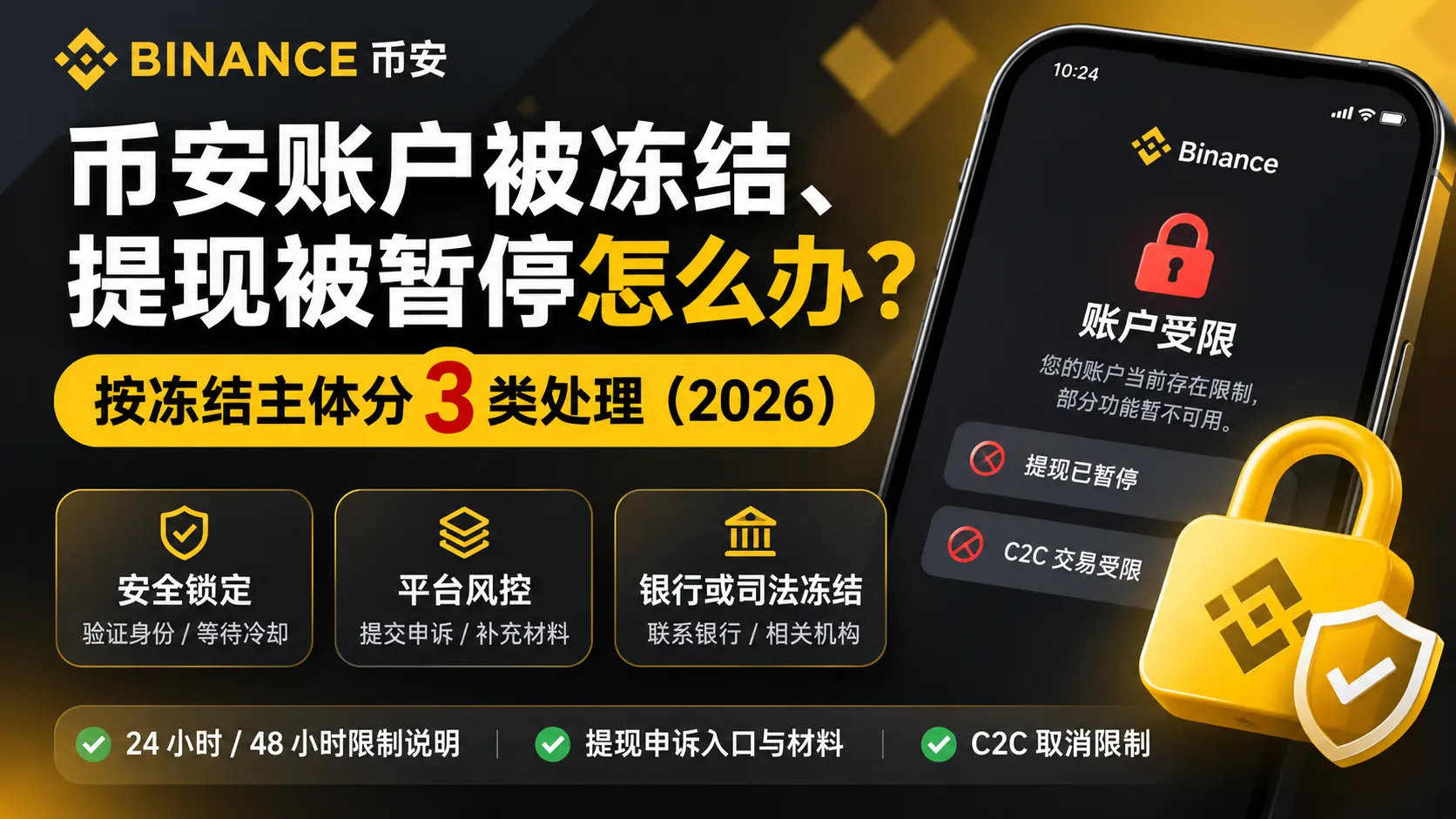
Table of contents

Binance new-user benefit
20% fee rebate
Official Binance sign-up · You must complete identity verification (KYC) to trade and withdraw
Frozen Binance account or suspended withdrawals? First work out who restricted the account, and what exactly is restricted: login, trading, withdrawals, or your bank account. A security lock, a platform risk review and a bank or judicial freeze are handled through completely different channels. Picking the wrong appeal route can leave a solvable issue stuck for weeks.
If you just reset your password, withdrawals are usually disabled for 24 hours[1]. If you reset two-factor authentication (2FA), some funding operations can be disabled for up to 48 hours[2]. These security cooling-off periods normally need no appeal. Restrictions triggered by unusual logins, funding risk or compliance checks may require documents. And when a bank or a court imposed the freeze, Binance support usually cannot lift it for you.
Three quick checks:
- Cannot log in, or just changed security settings: check the security verification and cooling-off period first.
- Can log in but cannot withdraw: read the withdrawal notice and separate platform risk review, identity review and wallet maintenance.
- Bank account frozen after selling USDT: contact your bank first and identify who imposed the restriction.
If only one coin or one network is paused while everything else works, rule out wallet maintenance or a network upgrade before assuming your account is frozen.
In a straightforward case, a security hold is just waiting; no documents are needed. If a risk-control trigger was a false positive and you submit an unlock request through the official flow, Binance quotes a 3–7 business day review[5]. Other restrictions can take different amounts of time, so follow the notice in your account. The two most common mistakes: treating wallet maintenance as an account freeze, and contacting only Binance after a bank account is frozen.
This guide covers the three restriction types, the official appeal routes, the documents to prepare and the reference timelines, and explains what you can resolve yourself versus what must wait for a review or an external authority.
Match your case first
| Your situation | Do this first |
|---|---|
| Changed your password, withdrawals paused | Wait out the 24-hour security cooldown; no appeal needed |
| Reset Google Authenticator or another 2FA | Some fund operations can be limited for up to 48 hours |
| Can log in, but one coin or network will not withdraw | Rule out wallet maintenance or a network upgrade |
| No coins withdraw, and the account is flagged as restricted | Submit the risk-control appeal with the documents the platform asks for |
| Bank card frozen after selling USDT | Contact your bank first and find out who froze it |
| Received an "account locked" email or SMS | Log in through the official site or app; never click the link in the message |
The first question is which layer restricted you: a security cooldown, the platform's risk control, or a bank or judicial freeze. Using the wrong channel wastes any documents you send.
1. Which type of freeze is on your Binance account?
People searching for a "frozen Binance account" are often in completely different situations. One reset a password and cannot withdraw; another received a risk-control notice; a third sold USDT on P2P and later found their bank account unusable. These should not be treated with the same unlock tutorial.
1.1 Three restriction types and where to handle them
| Restriction type | Where to handle it |
|---|---|
| Type 1: Binance account security lock | Follow the in-app unlock prompt, complete verification, or wait out the security hold |
| Type 2: Binance platform risk or compliance restriction | Withdrawal appeal, P2P Restrictions Removal Center, or official support |
| Type 3: Bank, judicial or other external restriction | The bank, authority or institution that actually imposed it |
These three types are grouped by who can lift the restriction, not by how serious it is. Not every restriction is a permanent freeze; the notice in your account is the deciding evidence.
1.2 Narrow it down from the symptom
| What you see | Check first |
|---|---|
| Login asks you to unlock the account | Security lock and identity verification |
| Cannot withdraw after resetting the password | 24-hour security hold |
| Cannot withdraw after resetting 2FA | Up-to-48-hour security hold |
| Withdrawal notice mentions risk or an appeal | Account risk review and identity checks |
| P2P buy/sell is suspended | P2P Restrictions Removal Center |
| Only one USDT network cannot withdraw | Wallet maintenance or network pause |
| Bank account frozen after a P2P payment | Your bank and the freezing authority |
The table helps you find the right entry point. It does not prove the cause from a symptom alone.
If you cannot tell which type applies, do not submit repeated appeals. Save the full error message first, then work through the steps below.
2. Binance account locked: security checks and the 24–48 hour holds
A security lock is usually tied to the login environment, a password reset, a change of verification device or an account security check. It is not the same as a risk-control freeze over suspected violations or a law-enforcement request, so do not read every security restriction as "my account was banned".
2.1 Cannot withdraw after a password reset: usually 24 hours
Binance states that, for security reasons, withdrawals, P2P sell, payment services and internal transfers are disabled for 24 hours after a password reset[1].
For example, reset the password at 10:00 on 12 November and the hold may last until around 10:00 on 13 November. The exact end time is whatever your account shows.
What to do:
- Log in through the official Binance app or website.
- Check the security settings and the withdrawal-page notice.
- Confirm whether you recently reset the password.
- If the notice states a 24-hour hold, wait it out.
- Check the withdrawal status again when it expires.
Binance's page offers no early-release entry and does not describe an appeal that speeds it up, so waiting is normally the only option. If withdrawals are still blocked after the stated time, look for a separate restriction.
2.2 Resetting Google Authenticator or another 2FA: up to 48 hours
If you changed phones, lost Google Authenticator or cannot use the original 2FA device, the account may need to re-verify who owns it.
Binance's official guide states that after a 2FA device reset, withdrawals, P2P sell, internal transfers and payment services can be disabled for up to 48 hours[2].
If the old verification cannot be completed:
- Open the Binance login page.
- Enter the account email or phone number.
- On the verification screen, choose the method you cannot use.
- Select "Security verification unavailable?" or the matching reset entry.
- Provide another available verification method.
- If prompted, submit a new email, phone number or identity documents.
- Wait for the review result, then check whether funding functions have returned.
A "under review" status does not mean the account is permanently frozen. Wait for the outcome and avoid repeatedly changing verification details while the case is open.
The 2FA reset review and the post-reset withdrawal hold are two different clocks. Do not treat them as one 48-hour countdown.
2.3 Login says the account is locked
If the app shows "Account locked", "Unlock account" or a security verification prompt, use the official unlock entry on that page. Do not hunt for hidden routes from old tutorials; the verification flow depends on the account state.
Binance states: select Unlock, complete the required security checks, and the system returns one of three outcomes — success, under review or failure. After a successful unlock, you may still need to wait up to 48 hours before withdrawing or using P2P[3].
A sensible order:
- Log in through Binance.com or the official app.
- Read the full lock reason and notice.
- If an Unlock button appears, follow the current flow.
- Complete the email, phone, passkey or identity check the system asks for.
- Save the result and any notification.
- If the unlock fails, the button is missing or the reason is unclear, contact official online support.
Regaining login access does not guarantee that withdrawals are restored. If you reset a password or 2FA earlier, check for a separate withdrawal hold.
3. Binance withdrawals suspended: rule out wallet maintenance before appealing
Many users see a blocked withdrawal and immediately assume "my account was flagged". Binance actually groups withdrawal suspensions into several causes: wallet maintenance, asset-specific issues, and a restriction on the account's withdrawal function.
The right order is therefore: check the scope first, read the account notice second, and only then decide whether to appeal.
3.1 Only one coin or network cannot withdraw
Suppose BTC withdrawals work but one USDT network shows as paused. That may have nothing to do with your identity. It could be wallet maintenance, a blockchain upgrade or hard fork, congestion, or a temporarily unsupported asset.
Open the withdrawal page and read the notice for that coin and network. Binance's stated options are to tap Set reminder so you are notified when maintenance ends and the function returns, or to choose another available network[4].
If you switch networks, two conditions must both hold: the receiving platform supports that network, and the deposit address matches it. Do not switch networks just because one is paused. The wrong network can mean lost funds or a deposit that never arrives.
3.2 No coin can withdraw and the account is flagged
If several coins are blocked and the page says the withdrawal "may involve risk", the withdrawal function is "temporarily disabled" or you must "contact support", check for an account-level restriction.
Binance's risk-control page lists examples that can trigger a review[5]:
- using the account in an unsupported country or region;
- an identity-verification country that does not match normal account activity;
- logins from a suspicious device or IP;
- frequent large trades or withdrawals in a short period;
- suspected violations or a law-enforcement request;
- other abnormal account or security risks.
These are possible triggers, not a diagnosis. Using a VPN, logging in from another location or making one large trade does not by itself prove the cause. If the account is restricted, the notice and review requirements from Binance take precedence.
3.3 Where is the withdrawal appeal entry?
If the withdrawal page offers an appeal, the flow is:
- Log in to the Binance app.
- Open the funding or assets page and select the Spot account.
- Choose Withdraw.
- Read the restriction notice.
- Tap Appeal or Withdrawal appeal.
- Complete identity verification and upload the requested documents.
- Save the result and watch email and in-app notifications.
On the web, if verification failed, the Withdrawal appeal prompt appears on the crypto withdrawal page[6]. Menu names and layouts vary by app version, so follow what you actually see.
Binance explicitly notes that not every restriction is appealable. If no appeal button appears, do not use a third-party "unfreeze channel". Contact official online support from the Help Center and ask whether the account is eligible for self-service appeal and what documents are needed.
4. Binance risk-control appeal: which documents to prepare
A risk review is not won by insisting "I did nothing wrong". It is resolved by supplying verifiable information that matches the stated reason. Binance says lifting the restriction may require sufficient documents to confirm that you own the account[5].
If abnormal funding activity is involved, support may also ask for the trading background, source of funds or related files.
4.1 Common documents
| Document | What it proves |
|---|---|
| ID card, passport or other identity document | Who owns the account |
| Personal statement video | That you authorised the operation and own the account |
| Registration date and registration IP | Account history and ownership |
| Deposit and withdrawal records | How funds moved through the account |
| Trade records and source-of-funds evidence | The background of specific funds |
| Screenshot of the restriction notice and case number | Locating the exact case |
Not every account needs all of these at once. The appeal page or support agent decides what is actually required.
Be careful with source-of-funds files: do not upload unrelated personal data. Provide genuine, verifiable documents that match the transactions in question. Never fabricate documents or hide the real flow of funds to pass a review.
4.2 What the statement video must say
Some withdrawal appeals require a personal statement video. Binance says the video may need to cover five items[7]:
- today's date;
- the amount and coin you want to withdraw;
- a clear confirmation that you authorise the withdrawal;
- the purpose of the withdrawal;
- your Binance account email address.
Show your face clearly and hold the information page of your ID. Do not add watermarks, edit or otherwise alter the video, and normally submit a photo of the same ID shown in it.
If you do not speak English, you can show the official English statement and explain it in your local language.
Only the account holder may record the statement video. P2P appeals may use a different template, so do not reuse a withdrawal-appeal video for every review type.
4.3 What if you do not know the registration date or IP?
Some users are asked for the account registration date and IP. Search for the verification email you received when you opened the account; Binance says the registration email may contain the date and IP.
If the email is gone, do not invent a date or IP. Tell support you cannot confirm it and ask whether another proof of ownership is acceptable.
4.4 What to do after submitting
- Save the ticket or case number.
- Watch official email and in-app notifications.
- Supply additional documents promptly when asked.
- Note when you submitted and when you added files.
- Follow up under the same case.
Do not open a flood of new tickets to speed things up. If the appeal page asks for a fresh application, or support explicitly tells you to open a new case, follow that instruction.
5. Binance P2P restricted: how to lift a buy/sell suspension
A P2P trading restriction does not necessarily mean the whole Binance account is frozen. Some users can still log in or trade elsewhere but cannot use P2P buy/sell. Check for a separate P2P suspension first instead of filing a general withdrawal appeal.
5.1 The P2P Restrictions Removal Center
On the web, Binance's official path is[8]:
- Log in to Binance.
- Go to Trade → P2P.
- Open P2P User Center.
- Select Restrictions Removal Center.
- Review the paused function, reason, case number and expiry time.
- If an appeal is available, tap Submit appeal.
- Enter the reason and upload the requested documents.
In the app the path is P2P → Profile → Restrictions Removal Center. If the status shows Appeal unavailable, the restriction cannot be self-resolved; follow the page and contact official support[8].
Binance says its P2P team typically reviews an appeal within 30 minutes[8], but that does not mean every restriction is lifted within 30 minutes. You can submit up to 10 orders in a single appeal; if an appeal is already under review, you must wait for it to finish before submitting another[8].
If trading is clearly blocked but the Restrictions Removal Center shows no record, contact support to confirm.
5.2 Why P2P accounts get restricted
P2P has its own user-behaviour rules. Order cancellations, payment practices that break the trading rules, abnormal account activity or trade disputes can each lead to restrictions of different scope.
Some restrictions simply expire, some allow a self-service appeal, and some require extra documents from support. Not every P2P restriction is a general risk-control freeze.
5.3 Is a P2P freeze the same as a bank freeze?
No. A P2P restriction limits trading functions inside Binance. A bank freeze restricts a bank account and its funds, and may have been imposed by the bank, a court or another authority.
They can happen after the same trade, but timing alone does not prove a common cause.
6. Bank account frozen after selling USDT: bank first or Binance?
If your bank account is frozen, contact your bank first — not just Binance. A bank restriction can stem from the bank's own risk management, an unusual-transaction investigation, judicial assistance or another cause.
Even if the freeze followed a P2P payment, do not assume the payer used criminal funds, and do not conclude that your own trade caused it.
6.1 Confirm four things with your bank
- Is the account limited for non-counter transactions, restricted for one payment type, or formally frozen?
- Is the whole account affected or only part of the balance?
- Did the bank impose it, or was it requested by an authority?
- Is there a case number, document reference, duration or follow-up channel you can be given?
The bank may not be able to disclose every case detail; it will share what it is legally permitted to share.
6.2 Documents to prepare
If the restriction relates to a P2P payment, gather:
| Document | What it establishes |
|---|---|
| P2P order number and trade screenshot | The time and amount of the trade |
| Bank statement showing the credit | That the payment actually arrived |
| Platform trade history | How the assets moved |
| Payer details and communication records | Identifying the counterparty |
| Source-of-funds and background documents | Explaining the facts to the bank or authority |
Keep the genuine order records, statements and chat logs. Do not delete, alter or fabricate them. If a judicial investigation is involved, cooperate as required and consider seeking local legal advice.
6.3 Can Binance unfreeze my bank account?
Generally no. Binance is not your bank and cannot cancel a judicial freeze imposed by an authority.
If a case needs Binance trading records or platform cooperation, ask through official channels how such information can be obtained. Whether it can be provided, to whom and how depends on the law and Binance's procedures.
6.4 Should you switch to another card to keep receiving payments?
If the cause is still unknown, do not try to bypass the restriction by frequently changing bank accounts, splitting receipts or moving funds through someone else's account. That does not resolve the existing freeze and can make the money trail harder to review.
Establish the nature of the restriction first, then follow your bank's or the authority's instructions. If you suspect fraud, use your local anti-fraud or consumer-protection channel; for judicial proceedings, the investigating authority and applicable law govern.
7. How long does a Binance freeze last?
There is no single answer. Security holds, risk reviews, KYC re-verification and judicial freezes each run on different clocks, and applying one timeline to every account leads to bad decisions.
7.1 Security holds and platform review estimates
| Situation | Reference time |
|---|---|
| Password reset | 24-hour funding-operation hold[1] |
| 2FA reset | Up to 48-hour funding-operation hold[2] |
| Account unlocked | Up to 48-hour withdrawal or P2P hold[3] |
| Applicable risk-control unlock request | 3–7 business day review[5] |
| KYC document review | Usually within 48 hours, longer in special cases[9] |
| P2P-dedicated appeal | Typically reviewed within 30 minutes[8] |
The 3–7 business days is Binance's estimate for applicable risk-control unlock requests. It does not cover every suspended withdrawal and is not a promise that the restriction will be lifted. The KYC 48 hours refers to document review, not to every account restriction disappearing once verification is complete.
7.2 Other restrictions follow their own notices
| Restriction | How to confirm the timing |
|---|---|
| Risk cooling-off period on the withdrawal page | The 24 or 48 hours shown on that page |
| Wallet maintenance or network upgrade | Set a reminder and wait for the restoration notice |
| P2P function suspension | The expiry time in the Restrictions Removal Center |
| Judicial request or bank freeze | The notice from the authority or bank |
Do not conclude that the account has entered an abnormal review just because "three days have passed".
7.3 What if the review passes 7 business days?
If an applicable risk-control request has gone beyond the 3–7 business day estimate, follow up through official support. State:
"My account is restricted for risk-control reasons and I submitted a request through the specified channel. The case number is XXX and the submission date is XXX. Please confirm the current review status and whether any documents are missing."
Support may not promise a new completion date, but can confirm where the case stands and what the next step is. Judicial or special compliance cases can take significantly longer and cannot be estimated with the standard risk-review timeline.
8. Is the money in a frozen Binance account safe?
A frozen account does not automatically mean the assets have been confiscated. Separate three concepts:
First, a functional restriction. You can still see balances, but withdrawals, trading, transfers or some functions are temporarily unavailable.
Second, a risk review. Binance wants to verify identity, trades or the source of funds, and some operations wait for the outcome.
Third, a freeze or disposal under legal process. The account may be affected by a legal requirement or a law-enforcement request, and the handling depends on the case and applicable law.
All three can look like the same blocked screen, but their legal nature and handling channels differ. A visible balance does not mean you can move it freely, and a restricted function does not mean the assets will be deducted.
The reliable approach is to keep records of balances, trades, restriction notices and appeal receipts, and confirm the actual account status. Do not hand your password, verification codes or recovery phrase to a third party "to protect the funds".
9. Unfreeze scams: five patterns to avoid
When withdrawals suddenly stop, urgency makes people easy targets for fake support and paid-unfreeze fraud.
9.1 "Support" messages you first
Someone on Telegram, WhatsApp or another social platform claims to be a Binance risk officer who can clear the freeze. Knowing your email, some trade history or using a Binance avatar proves nothing. Start a new conversation from the official app or Help Center instead.
9.2 Paid acceleration
"Pay 100 USDT and withdrawals return in 24 hours" or "internal risk channel, priority review" has no credible basis. Never pay an unlock fee, verification deposit or guarantee to a self-proclaimed staff member.
9.3 Screen sharing or remote control
If a stranger asks you to install remote-control software, share your phone screen or operate your Binance account, stop immediately. Screen sharing exposes verification codes, account details and other sensitive data.
9.4 Fake appeal links
Scammers build login pages that look like Binance and harvest passwords or codes. Do not open an unfreeze link sent by a stranger. Open Binance.com yourself, go to the official Help Center, or use the in-app entry.
9.5 Transfer to a "safe account"
Any request to move assets to a private address, a specified wallet or a "safe account" before the freeze can be lifted is a red flag. Appeals run through the official verification and document flow; never transfer funds privately to someone claiming to be support.
10. Five mistakes after a Binance freeze
Mistake 1: Treating every blocked withdrawal as a platform risk review
One network pausing withdrawals may be wallet maintenance. Check the scope before filing an account appeal.
Mistake 2: Bombarding support right after a password reset
The official security-hold page offers no early release. If the restriction is clearly a password or 2FA reset, wait out the stated period instead of repeatedly requesting an unlock.
Mistake 3: Contacting only Binance after a bank freeze
Bank and judicial restrictions must be handled by the institution that imposed them. Binance may provide trade records where appropriate, but it cannot lift a bank or court freeze.
Mistake 4: Opening a new account because the old one is restricted
A new account does not move the old assets and does not guarantee escape from the restriction. In identity, account-linkage or compliance reviews, duplicate registration can make things worse. Deal with the original restriction first.
Mistake 5: Deleting records or submitting false documents
Trade history, order numbers, chat logs and source-of-funds files are the evidence that supports your case. Do not delete them, and never buy fake statements or fund proofs. Genuine, complete and relevant documents are the only sound basis for an appeal.
11. FAQ
Can I get my USDT back from a frozen Binance account?
Not necessarily lost. A security hold, identity check or ordinary risk review may only pause funding operations. Whether withdrawals return depends on the actual cause, the review outcome and legal requirements; no one can guarantee that restricted funds are immediately withdrawable.
How long does a Binance freeze usually last?
Withdrawals are usually paused for 24 hours after a password reset and up to 48 hours after a 2FA reset. Applicable risk-control unlock requests are reviewed in about 3–7 business days. Judicial requests, bank freezes and other special restrictions have no universal timeline.
The withdrawal page says try again in 24 hours. Do I need to appeal?
Read the full notice. If it is clearly a security hold, wait for it to expire. If the page also mentions a risk review, identity verification or another requirement, follow that instruction. Do not decide the cause from the words "24 hours" alone.
Why can I still not withdraw after unlocking my account?
Login access and funding access are separate. Binance says you may need to wait up to 48 hours after unlocking before withdrawing or using P2P. There may also be another risk restriction, so check the withdrawal page and account notices.
Can I contact a human at Binance?
Yes. Use the official app or the Binance.com Help Center to reach online support. If an appeal entry already exists, submit through it first and keep the case number for follow-up.
Does a risk-control appeal always require an ID and a video?
No. Some accounts only need a specified security check; others may need an ID, a personal statement video or other proof of ownership. The official page and support agent decide what applies.
My bank account was frozen after a P2P sale. What now?
Contact your bank to establish the nature, amount, cause and authority behind the restriction. Keep the P2P order, bank statement and trade records. Provide documents as the bank or authority requires; a Binance order alone cannot lift a bank freeze.
If P2P is suspended, can I still use Spot trading?
It depends on the scope. Some restrictions affect only P2P and do not necessarily block Spot trading. If there are additional risk or compliance restrictions, several functions may be affected. Check the Restrictions Removal Center and your actual account permissions.
One USDT network is paused. Is my Binance account frozen?
Not necessarily. If only one USDT network is down while other coins or networks work, it may be wallet maintenance or a network upgrade. Check the coin, network and restoration notice before filing an account appeal.
Can I open a new Binance account to withdraw after a freeze?
A new account does not lift the old restriction and does not automatically move the old funds. Follow the appeal process on the original account. Do not try to bypass restrictions through someone else's account or identity.
The risk review has passed 7 business days with no reply. What should I do?
First confirm the request was submitted, whether more documents were requested and whether the case is still open. Then follow up through official support with the original case number. Special compliance or law-enforcement cases may not follow the standard timeline.
How do I tell a real Binance support agent from a fake?
Do not trust unsolicited messages, requests for verification codes, remote control or transfers. Verify the email, link or account through the official app, Help Center or Binance Verify. If identity cannot be confirmed, stop sharing sensitive information.
Next steps
- How to withdraw from Binance: networks, fees and arrival times (2026) — once withdrawals return, check the coin, network, address and fee before a small test
- How to sell USDT on Binance: C2C sale and release (2026) — separate a P2P sale from an actual bank credit; never release on a screenshot
- How to choose a Binance C2C merchant: completion rate and risk signals (2026) — merchant screening lowers but does not eliminate the risk of a bank freeze
- Binance KYC failed: 6 causes and fixes — when the restriction points to identity documents, face verification or re-verification
- Binance verification code not received: SMS, email and authenticator checks — when unlocking stalls at a missing code or a lost device
Fact-check notes
Key operations and review rules were checked on 12 November 2026 against Binance Help Center documentation:
- Password reset and the 24-hour hold: Binance states that, for security reasons, withdrawals, P2P sell, payment services and internal transfers are disabled for 24 hours after a password reset. Source: Binance Help Center, "How to reset your Binance account password".
- 2FA reset and up to 48 hours: Binance states that after a 2FA device reset, withdrawals, P2P sell, internal transfers and payment services can be disabled for up to 48 hours. Source: Binance Help Center, "How to reset two-factor authentication when you cannot access your account".
- Unlock flow and 48-hour wait: select Unlock, complete the security checks, and the result is success, under review or failure; after unlocking, you may need to wait up to 48 hours before withdrawing or using P2P. Source: Binance Help Center, "How to unlock your Binance account".
- Wallet maintenance and network pauses: wallet maintenance, network upgrades and asset-specific issues can pause deposits or withdrawals; Binance offers a reminder or another available network. Source: Binance Help Center, "What to do when withdrawal services are suspended".
- Risk triggers, documents and 3–7 business days: Binance lists unusual logins, regional mismatches, account behaviour and law-enforcement requests as possible triggers; lifting a restriction may require ownership documents, and applicable requests are reviewed within 3–7 business days. Source: Binance Help Center, "My account was frozen due to risk control. What should I do?".
- Withdrawal appeal entry: on the web, use the Withdrawal appeal prompt on the crypto withdrawal page; in the app, go to Funding, Spot, Withdraw and tap Appeal in the pop-up. If no button exists, contact support; not every restriction is appealable. Source: Binance Help Center, "How to reactivate my account withdrawal function".
- Statement video requirements: the video must cover the date, amount and coin, authorisation, purpose and account email; show your face and the ID information page, with no watermark or editing; some users are asked for registration date and IP. Source: Binance Help Center, "How to provide a statement video and security questions".
- P2P Restrictions Removal Center: web path Trade, P2P, P2P User Center, Restrictions Removal Center; the page shows the paused function, reason, case number and expiry, allows Submit appeal when available, and shows Appeal unavailable otherwise. The P2P team typically reviews within 30 minutes; up to 10 orders per appeal; a pending appeal must finish before a new one. Source: Binance Help Center, "How to remove a Binance P2P account restriction".
- KYC review time: Binance's individual verification FAQ says documents are usually reviewed within 48 hours, longer in special cases; this is a reference, not a guarantee of approval. Source: Binance Help Center, "Individual account identity verification guide".
Affiliate disclosure: This article contains Binance referral information. Registering through a referral link may earn Veldux a commission at no extra cost to you; eligibility and rates are shown on Binance. The referral relationship does not affect the factual checks on freezes, withdrawal limits or appeals. See Advertising and affiliate disclosure.
Disclaimer: This article explains how to diagnose and appeal account restrictions; it is not legal or investment advice and does not guarantee recovery of assets. Restriction causes, restoration conditions and appeal routes vary with account status, region, product permissions and applicable law. For bank freezes, judicial requests or disputed funds, follow the bank, the competent authority and formal notices. Submit sensitive documents only through official or legally designated channels.
Exchange operations · USDT · Wallet security
Responsible for researching and organizing content on Binance, OKX, USDT transfers, withdrawals and wallet security. The steps and key data in this article are verified according to the content type, using real operation records, official platform documentation and public sources. Interfaces, fees and regional rules may change, so the article is reviewed and updated continuously.
Status: manual review · Last verified 2026-11-12
Reviewed by: Veldux editorial team
- Binance Help Center: How to reset your Binance account passwordVerifies that withdrawals, P2P sell, payment services and internal transfers are disabled for 24 hours after a password reset
- Binance Help Center: How to reset two-factor authentication when you cannot access your accountVerifies that withdrawals, P2P sell, internal transfers and payment services can be disabled for up to 48 hours after a 2FA reset
- Binance Help Center: How to unlock your Binance accountVerifies the unlock prompt, security checks and review outcomes, plus the up-to-48-hour wait before withdrawals or P2P trading after unlocking
- Binance Help Center: What to do when withdrawal services are suspendedVerifies that wallet maintenance, network upgrades and asset-specific issues can pause deposits or withdrawals, and the reminder/network-switch options
- Binance Help Center: My account was frozen due to risk control. What should I do?Verifies common risk-control triggers, the self-service unlock steps, ownership evidence requirement and the 3–7 business day review estimate
- Binance Help Center: How to reactivate my account withdrawal functionVerifies the web and app appeal entry points, contacting support when no appeal button exists, and that not every restriction is appealable
- Binance Help Center: How to provide a statement video and security questionsVerifies the five items a statement video must cover, the ID photo requirement, the no-watermark/no-editing rule and the registration date/IP questions
- Binance Help Center: How to remove a Binance P2P account restrictionVerifies the Restrictions Removal Center path, the pause reason and case number, the Appeal unavailable status, 30-minute review estimate and 10-order limit per appeal
- Binance Help Center: Individual account identity verification guideVerifies that identity documents are usually reviewed within 48 hours, with longer times in special cases
- 2026-11-12UpdateFirst publication. Split by restriction owner into security hold, platform risk review and external freeze, with 24/48-hour rules, wallet maintenance, P2P restriction center and bank-freeze handling.
Editorial principles ineditorial policy,corrections policy。