Binance KYC failed? 6 causes and how to fix them (2026)
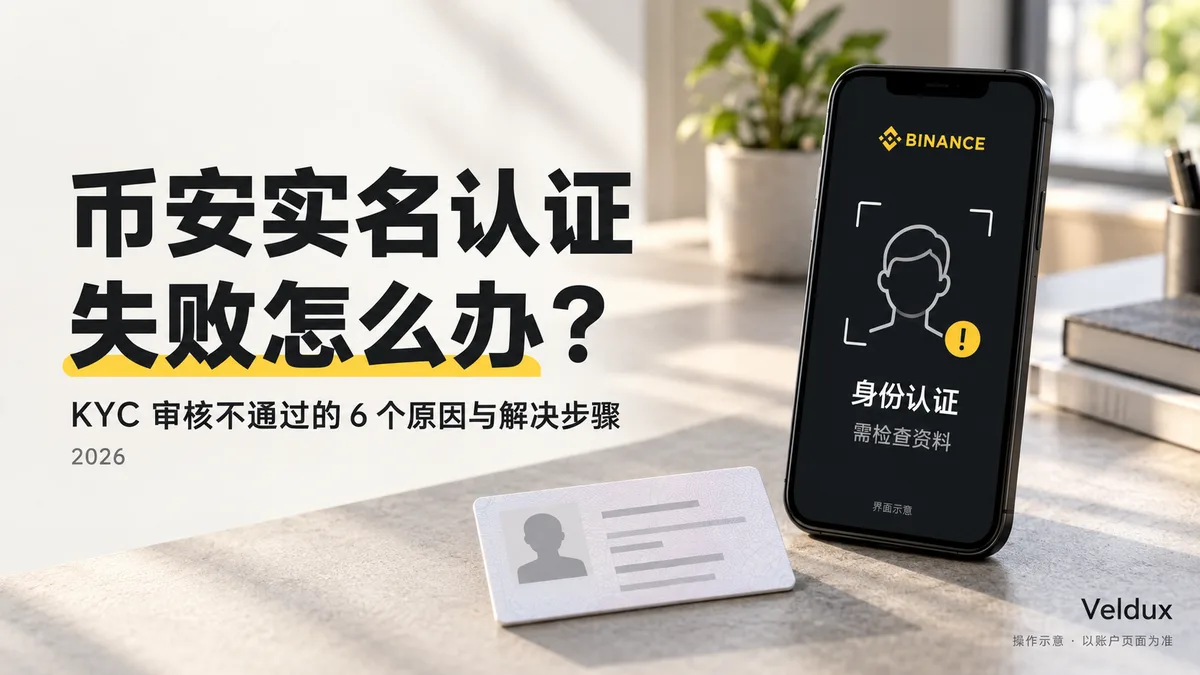
Table of contents

Binance new-user benefit
20% fee rebate
Official Binance sign-up · You must complete identity verification (KYC) to trade and withdraw
Binance KYC failed? Open the identity verification page first and confirm whether the status is "rejected", "under review" or "documents missing". If you were rejected and resubmission is allowed, fix the underlying problem first; if it's still under review, check your notifications; if a retry countdown appears, wait as the page says.
Don't open a new account the moment you see a failure, and don't treat "wait 24 hours" as a fixed step after every rejection. Below I explain six types of problem and when to retry versus when to contact official support.
1. What does a failed Binance KYC mean? First, tell the statuses apart
Binance identity verification (KYC) is the process the platform uses to confirm who owns the account. "Rejected" means this application didn't pass; "under review" means there's no result yet. They're handled differently.
The table below summarizes what each status means; the exact wording may vary by language and version.
| Status on screen | Next step |
|---|---|
| Rejected / not approved | Read the rejection reason; if there's a resubmit entry, fix it and resubmit. |
| Under review / pending | Check the estimated time and notifications; don't open another account to repeat the request for now. |
| Documents missing | Submit the specific document they ask for; don't just re-upload the original material. |
| Too many attempts / try again later | Note the message and wait according to the countdown or restriction shown. |
| Upload failed / camera won't start | First check your network, permissions and device, and confirm whether the request actually went through. |
The key is knowing whether there was an explicit rejection: an upload that doesn't finish or a camera that won't open does not mean your identity details were rejected.
2. Six causes of KYC rejection and how to fix them
1. Expired document, unsupported type or wrong country of issue
If the notice says the document is invalid or unsupported, first check whether the document is eligible — only then think about re-photographing it. A document that isn't supported doesn't become valid just because you take a sharper photo.
Check in this order:
- That the document is still valid.
- That the type you chose matches the document you uploaded.
- That the country or region of issue is selected correctly.
- That the verification page offers that document option.
Just because another tutorial mentions a passport, ID card or driver's license, don't assume your account accepts every type.
If you verified successfully before and now get a document-update notice, review the update flow on the original account; don't treat it as a first-time sign-up failure. Binance has a separate "update identity details" flow; if you can't proceed, contact official support.
Next step: if the document expired, replace it with a valid one; if the type is wrong, correct the option; if you're unsure whether it's supported, confirm with official support.
2. Blurry, glare-covered, cut-off or incomplete document photo
If the notice says the photo isn't clear or the information can't be read, review the image — don't change your name or address of residence.
Before re-photographing, check four things:
- The document fits fully in frame, with no edges cut off.
- The name, number and expiry date are legible.
- Fingers, shadows and glare don't cover the text.
- You submitted the front and back the page asks for, in the right order.
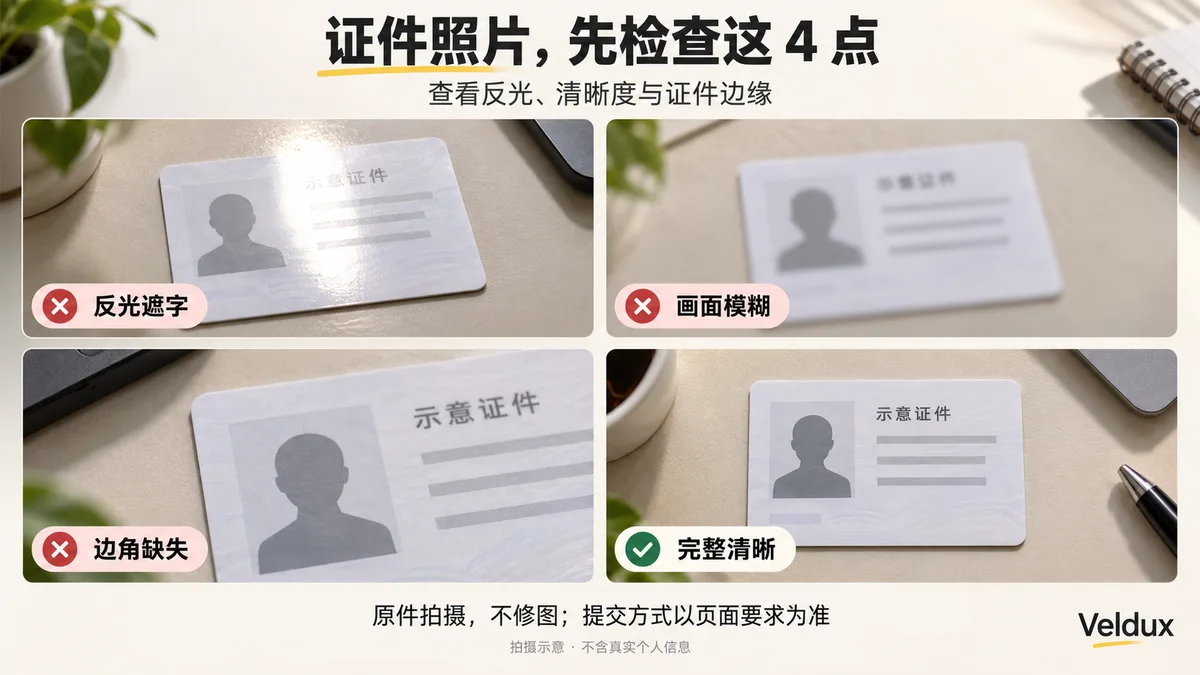
Lay the original on a flat surface, adjust the light and angle, and zoom in on the photo after taking it. Don't "fix" verification materials with editing, AI enhancement or text replacement.
Live capture and manual upload depend on what the current page offers. Binance states that whether the manual-upload option is available depends on the country or region; you can't generalize it as "all accounts can only capture live".
Next step: only redo the photo the notice flags; if the same notice returns, save the exact wording and ask for help.
3. The facial verification or liveness check didn't complete
Facial verification checks that the person operating the account matches the identity details.[1] Low light, a dirty camera, a covered face, and differences between your current face and the document photo can all affect verification.
Check in this order:
- Check the camera permission. Confirm the Binance app or your browser can use the camera.
- Clean the lens. Rule out smudges and blur first.
- Adjust the light. Face a uniform light source and avoid backlight or strong shadows.
- Remove obstructions. Take off hats, glasses and masks, and turn off filters and beautification.
- Follow the current instructions. Do the movement the page asks for; you don't need to copy angles or timings from tutorials online.

If the problem is a black screen, a camera that won't start or a page that won't advance, update the official app, restart the application, or try another device the page supports.
If the camera and movements work but the "identity doesn't match" notice keeps coming back, contact official support; don't ask someone else to do the recognition for you.
Next step: device problems are fixed on the device; the identity comparison is checked by the official channel.
4. Inconsistent name, date of birth or other details, or a wrong address
Identity details and residence details aren't the same group of fields; don't copy everything straight from your document's address.
| Field | How to check it |
|---|---|
| Name, date of birth, document number | Compare against the submitted document; check the recognition result and what you typed. |
| Name language and order | Fill in as the field asks; don't add an English name that isn't on the document. |
| Country or region of document issue | Choose based on the document you actually submitted. |
| Residence and current address | Fill in your real situation; if proof is requested, provide a matching document. |
For example, someone with a passport from one country who has lived in another for years can have a residence that differs from the country of issue; those two fields should be filled in separately and truthfully.
Binance's current flow asks for residence, country/region of document issue and document type separately, and requires you to confirm your personal details. Check the recognition result before confirming; don't assume the system always recognizes it correctly.
If you already confirmed and can't edit, look in the Help Center for "name/date-of-birth correction", "update identity details" or residence-information entries. The applicable flow depends on the account page and what support says.
5. The identity is already linked to another account
If the notice says a verified account already exists, check the old account first — don't keep trying to verify with a new email or phone number.
There are two cases:
- You did register an old account: recover access first and confirm that account's status.
- You don't remember registering it, or don't recognize the account in the notice: explain the situation to official support and request a review of the identity link.
Don't immediately conclude that your "identity was stolen", and don't close an account you can still access without checking it first.
Binance's personal-verification FAQ has a separate explanation for the case of two verified personal accounts, oriented toward business or sub-accounts; changing your email is not a basis for verifying again.
Next step: if you can recover the old account, recover it; if the link is unclear, request a review.
6. The page says the region, age or another service requirement isn't met
An eligibility restriction isn't the same as a capture failure; it isn't solved by re-photographing, changing your date of birth or declaring another region.
First tell two situations apart:
- Upload timed out or the page won't load: that's a technical problem; check your network stability and app status.
- An explicit notice that the region, age or eligibility doesn't meet the requirements: follow the restriction's explanation; if you think the system is wrong, request an official review.
Don't conclude that the rejection was caused by your IP just because you use a certain type of connection. Don't switch countries frequently, and don't fill in a fake residence just to make verification advance.
Next step: for technical failures, check the connection; for eligibility notices, review the rules and don't try to bypass them by changing identity details.
3. After a rejection, how long do you wait before resubmitting?
A rejection does not mean waiting 24 hours. Before resubmitting, check whether the page has a retry entry and whether a restriction appears.
On the "10 attempts / 24 hours" claim that circulates: the Binance English help page for the UK I reviewed still mentions "after 10 rejections in 24 hours, wait 24 hours"; the newer general pages don't include the same fixed-number clause. That's why this article doesn't treat that figure as a single rule that applies to all accounts.
| Condition for retrying | What to do |
|---|---|
| Rejected already and the page allows resubmission | Fix the cause of the failure first, then use that entry to retry. |
| A countdown or attempt limit appears | Wait as the countdown says; don't open another account to skip the limit. |
| Still under review and no resubmission requested | Check notifications and the estimated time; wait for the current request's result first. |
| No retry entry and no clear explanation | Save the notice and contact official support to confirm the correct flow. |
Whether to retry is based on the account status and the notices, not on a uniform wait time circulating online.
4. KYC still under review? Should you resubmit after 48 hours?
"Under review" is not "failed", and passing the reference time doesn't mean you should resubmit immediately.
Binance's official personal-verification FAQ says the details are usually reviewed within 48 hours, and special cases may take longer.[2] That's a reference time, not a guaranteed approval or completion deadline.
Check in this order:
- See whether the page shows an estimated time. Note the current status and when you submitted.
- Check notifications. Look at app notifications, your registration email and the spam folder to see if additional material is requested.
- Confirm which review you're stuck in. Identity verification, proof of address and other account reviews can be separate processes.
- If nothing changes, ask support. Say how long you've waited and give the full notice, and ask whether any document is missing.
If you were already asked for additional documents, submit them first; if there's no document request and no resubmit entry, don't restart verification on your own.
Once the reference time has passed you can ask about progress, but contacting support doesn't guarantee a faster process or an immediate manual approval.
5. Your details are correct but you're still rejected: how to request a review
When you've already fixed what the notice said and still get the same rejection, hand the failure record to the official review.
At the time of this article's review, Binance's Help Center self-service included "rejected identity verification appeal", described as "request a review after an identity verification rejection". The entry's name and availability may vary by page language and account status.
How to proceed:
- Open the Help Center from the official app, or open the Binance Help Center.
- Look for the review entry for a rejected identity verification.
- If no entry is available, explain the problem through the official support chat.
- Provide the requested materials and keep the case number; try to stay in the same conversation for follow-ups.
Before contacting support, have these five details ready:
- Which step you're stuck at: document upload, facial verification, detail confirmation, or post-submission review.
- The exact wording of the on-screen notice.
- The time of your last submission.
- The device and app or browser version.
- What you've already changed, and whether the notice changed afterward.

If you only say "verification never passes", support will have to ask you everything again; a complete description of the failure makes it easier to locate the problem.
Submit documents only through the official entry shown. Don't hand documents, facial videos, passwords or dynamic codes to supposed "managers" who offer to approve verification through private chat.
6. International users: how to judge proof of address and additional verification
Don't decide whether you need additional verification based only on your nationality or the document you hold. Whether extra materials are required depends on the account requirements for the country where you actually live.
Three things need to be kept separate:
- Nationality or country of document issue: indicates whom the identity document belongs to.
- Actual residence: indicates where you currently live.
- Proof of address: is used to verify the residence address you declared.
If the page asks for proof of address, check above all the name, address, issue date and issuing body on the document. Validity and accepted types vary by region; don't mechanically apply "it must be from the last three months in every region".
Also note: the format requirements for the document photo and for proof of address aren't the same. Binance's proof-of-address guide accepts compliant PDF e-bills and, under specific conditions, scans or screenshots; don't turn the document-photo requirement into "all verification materials ban PDF or scans".[3]
Passing verification doesn't by itself prove that a trading service is legal or available where you live. Don't declare a fake residence, don't use someone else's identity, and don't buy already-verified accounts.
7. FAQ
Does a failed KYC mean my account is blocked?
You can't conclude that from a "verification failed" message alone. Check whether the notice is about returned documents, additional documentation, or an explicit account restriction; if it's unclear, ask official support.
Facial verification always fails — do I need to change my phone?
First check camera permission, lens, light, obstructions and filters. Only if the device can't complete the capture should you try another device the page supports; if the problem is that the identity doesn't match, changing your phone doesn't guarantee a fix.
Do I have to wait 24 hours after a failure?
Not necessarily. If there's a resubmit entry, fix the problem and follow what the page says; if a countdown or attempt limit appears, wait as the notice says.
It's been over 48 hours under review — should I resubmit?
Don't decide to resubmit based on time alone. First check the document notifications and account status; if nothing changes, ask official support to confirm whether any further action is needed.
The address on my document doesn't match where I live — what do I do?
Fill in your current residence address truthfully. If proof of address is requested, use a document that proves the declared address and meets the account's requirements; don't write a fake address just to make it look consistent.
It says my identity is already verified on another account — can I register with another email?
Recover the old account first, or request an official review of the identity link. Changing your email doesn't solve the "identity already linked to an account" problem.
I already verified and the document expired afterward — what do I do?
Check the "update identity details" flow on the original account. Read the instructions before starting it; the official guide warns that account functions may be limited while KYC materials are being updated, until the new details are submitted and verified.[4]
Does paying someone to do the verification improve my chances?
Don't use paid verification services. Verification must be done by the account holder following the official requirements; you can't replace your own identity with someone else's document or face.
Related articles
- How to register on Binance in 2026: account setup and KYC step by step (code AMY568) — the most common mistake after a rejection is opening another account; first review the correct order of registration and verification
- Not receiving your Binance code? Check SMS, email and Google Authenticator (2026) — sometimes "KYC stuck" is actually an SMS or email code that never arrives; this article checks channel by channel
- How to download Binance: official entry and installation on three devices (2026) — if facial verification gives a black screen or the camera won't open, first confirm you're using the latest official app
- Binance vs OKX: which one suits you in 2026? A beginner's comparison — if Binance verification genuinely doesn't work in your region, compare the process on another platform
- How to buy USDT on Binance: a complete P2P tutorial (2026) — after verification is approved, the next step is usually buying; continue here
Data verification note
The key facts in this article were checked on 2026-10-16, one by one:
- What facial verification is for: facial (liveness) verification checks that the person operating the account matches the submitted identity details; low light, obstructions, a dirty lens and differences from the current face affect the result. Source: Binance facial verification explanation.
- How long the review takes: Binance's personal-verification FAQ says details are usually reviewed within 48 hours and special cases may take longer; that time is a reference, not a guarantee of approval. Source: Binance identity verification guide for personal accounts.
- Proof-of-address format: Binance's proof-of-address guide accepts compliant PDF e-bills and, under specific conditions, scans or screenshots; the document-photo requirement doesn't mean all verification materials ban PDF. Source: Binance proof-of-address verification guide.
- Restrictions while updating materials: the official guide warns that account functions may be limited while KYC materials are being updated, until the new details are submitted and verified. Source: Binance guide to updating identity details.
Legal disclaimer: this article explains the identity-verification process and failure troubleshooting; it does not constitute investment or legal advice. Platform services are limited by local law, eligibility and account rules. Use real details and handle verification through official channels.
Exchange operations · USDT · Wallet security
Responsible for researching and organizing content on Binance, OKX, USDT transfers, withdrawals and wallet security. The steps and key data in this article are verified according to the content type, using real operation records, official platform documentation and public sources. Interfaces, fees and regional rules may change, so the article is reviewed and updated continuously.
Status: manual review · Last verified 2026-10-16
Reviewed by: Veldux editorial team
- Binance facial verification explanationFacial (liveness) verification checks that the person operating the account matches the identity details; lighting, obstructions and facial differences affect the result
- Binance identity verification guide for personal accountsPersonal verification details are usually reviewed within 48 hours; special cases may take longer
- Binance proof-of-address verification guideAs proof of address, compliant PDF e-bills are accepted; under specific conditions scans or screenshots are also accepted
- Binance guide to updating identity detailsWhile KYC materials are being updated, account functions may be limited until the new details are submitted and verified
- 2026-10-16UpdateAdded the evidence-chain superscripts and the "Data verification note", and updated the verification date of the key facts.
Editorial principles ineditorial policy,corrections policy。