
How to sell USDT on Binance: C2C sale and release (2026)
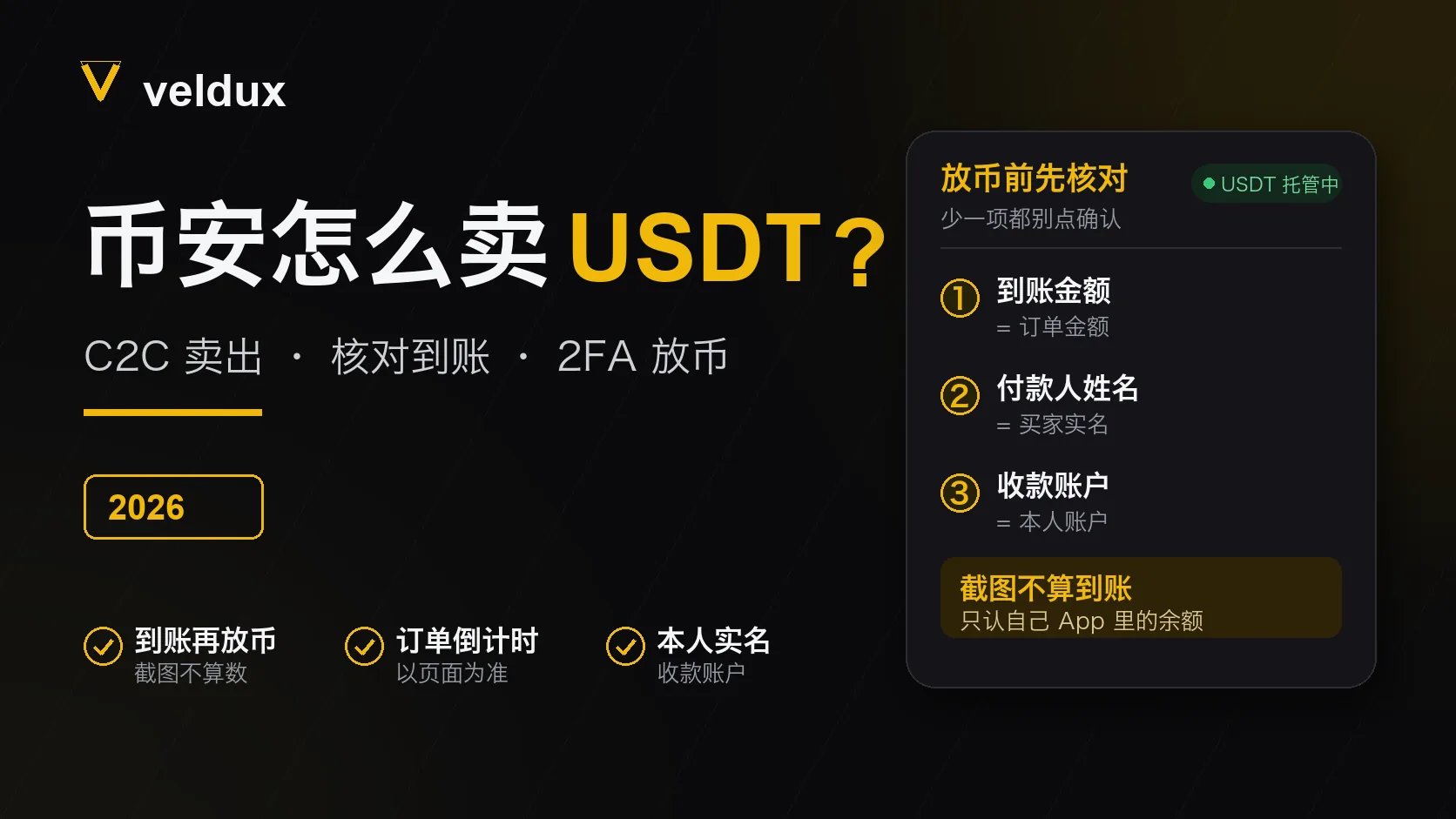
Table of contents

Binance new-user benefit
20% fee rebate
Official Binance sign-up · You must complete identity verification (KYC) to trade and withdraw
Selling USDT on Binance usually means using C2C (called P2P in some interfaces) to sell to another user for local currency. The flow has four parts: choose a buyer, place a sell order, verify the payment, release the USDT.
The step that goes wrong is rarely the "Sell" button. It is the last one. A buyer clicking "Paid" inside the order does not mean the money has reached your account. Only after you log in to your own banking or payment app and confirm the amount and the payer's name should you consider releasing.
Keep three rules in mind:
- A screenshot is not a payment. Bank SMS alerts, platform notices and buyer-supplied receipts do not replace the actual credit in your account.
- Do not release for a third-party payer. If the payer's name does not match the order, stop and contact the platform.
- Do not settle order problems privately. Do not cancel, refund, switch accounts or move the deal off-platform on request.
If you only want BTC or ETH, you do not need C2C. You would normally buy BTC in the BTC/USDT spot pair, or use Convert.
Compliance note: crypto rules vary by jurisdiction, and C2C availability depends on your country, account and the platform's actual service scope. This article explains mechanics and risks only; it is not legal or investment advice and does not imply that these transactions are lawful everywhere.
Which "sell" do you actually need?
| Your goal | Where to do it |
|---|---|
| Turn USDT into local currency | C2C sell order, paid into an account in your own name |
| Swap USDT for BTC or ETH | Spot pair or Convert; C2C is the wrong tool |
| Sell quickly at the quoted price | Express zone |
| Pick your own counterparty and price | P2P zone, comparing ads one by one |
| The buyer says they paid | Log in to your bank or payment app and confirm the money before releasing |
| The payer's name differs from the order | Stop, do not release, open a platform dispute |
| A large amount | Do not split orders to dodge risk control; keep a complete record |
The risk is not in tapping "sell". It is in releasing before you have seen the money in your own account. Screenshots, SMS alerts and the buyer's receipts are not your statement.
1. Three different things people call "selling USDT"
| Your goal | Where to go | What you receive |
|---|---|---|
| Convert to local currency | C2C sell | Fiat in your bank or payment account |
| Convert to BTC or ETH | Spot trading | Another crypto asset |
| Quick swap into another coin | Convert | Another crypto asset |
The key difference is that C2C involves fiat payment, while spot trading and Convert usually only move value between crypto assets.
For example, with 1,000 USDT:
- To get fiat, check whether your region supports the relevant C2C market.
- To get BTC, open the BTC/USDT spot pair and buy BTC with USDT.
- To get ETH quickly, compare the ETH/USDT spot quote with the Convert quote.
Do not confuse "selling USDT" with clicking Sell inside the BTC/USDT pair. The latter normally sells BTC and gives you USDT, which is the opposite direction.
2. Three checks before you sell
2.1 Which account holds the USDT
This changed in 2026.
Binance says that from 29 September 2026 it began a phased change to the default funding source for C2C. For an ordinary user, C2C uses Spot assets first only if you have not posted a C2C ad in the previous three months and you are not a merchant.[1]
Advertisers and merchants may keep using the Funding Account during the transition and move to a dedicated C2C account later. The rules for ordinary users and advertisers are therefore not the same.
Do not assume you must transfer USDT to the Funding Account before selling. Open the C2C sell page, check the available balance and follow the prompt on that page. If it says the balance is insufficient, identify which account holds the asset before moving anything back and forth.
2.2 Your receiving account must be in your own name
The receiving account normally has to match your Binance KYC identity. Depending on your region and the advertiser's terms, the platform may support bank transfer and other electronic payment methods. Availability of specific wallets or instant payment rails depends on the market shown in your account.
Do not use a family member's account, a friend's bank card or a payment QR code that does not belong to you. Even if the buyer agrees, this can trigger payment-provider risk controls, disputes or questions about the source of funds.
2.3 Complete KYC and security verification
C2C normally requires identity verification, and releasing may require a supported second factor such as an authenticator app or a passkey.
| Check | What to confirm before ordering |
|---|---|
| Asset balance | Enough USDT, in an available state |
| Receiving account | Own name, correct account details |
| Security | KYC complete, verification method working |
If any of the three is not ready, fix it before creating a sell order.
3. Self-select versus Express
Binance C2C has two common entries: the self-select market and the Express area.
| Item | Self-select | Express |
|---|---|---|
| Counterparty | You choose an ad | System matches you |
| Quote | Compare different ads | Quote based on the match |
| Complexity | You filter the offers | Fewer steps |
| Best for | Comparing terms | Wanting a simpler flow |
| Payment check | You must verify | You must verify |
Express is not safer and is not necessarily faster. It only removes some filtering. In both modes, the seller must confirm that the money actually arrived.
Some fiat markets or Express trades may also charge a taker fee. Do not treat either mode as permanently fee-free; check the order confirmation screen.
4. Selling USDT on Binance C2C: eight steps
These are the general steps shown in the Binance app. Button names and availability can differ by region, account type and app version.
Step 1: Open the C2C sell page
Log in to the Binance app. Depending on your version, go to Trade → C2C, or use the C2C entry on the home screen, then select Sell.
On the web you can use the official Binance C2C site, but first confirm that the domain is really binance.com.
Step 2: Choose USDT and the fiat currency
Select USDT, then choose the fiat currency you want to receive. Some markets may offer USD, EUR, BRL or other currencies, but not every currency is available to every region or account.
If the currency is missing or the platform says your region is not supported, do not use a false identity, borrowed account or any other workaround.
Step 3: Add your own receiving method
Choose a bank or electronic payment method supported in your market. The first time, add the account details and confirm that the name, account number and other information are correct.
In particular:
- Do not use someone else's verified account.
- Do not accept a receiving method changed outside the order.
- Do not move the conversation to WhatsApp, Telegram or another off-platform channel at the buyer's request.
If the buyer asks you to send money to a different person or asks for extra sensitive information, stop and use the platform's help function.
Step 4: Compare ads and place the sell order
In the self-select market, do not simply pick the highest price.
| Filter | What to look at |
|---|---|
| Price | Fiat amount per 1 USDT |
| Order limit | Whether your amount fits the ad's range |
| Track record | Completion rate and historical volume |
| Payment terms | Method, order terms and payment window |
A verified-merchant badge is a useful signal, but it does not guarantee that the buyer's funds are clean or that the trade is risk-free.
For example, two buyers both want 1,000 USDT: buyer A quotes 1.002 per USDT and buyer B quotes 1.000. At the same fee, the orders are worth 1,002 and 1,000 — a difference of 2. A higher price does not automatically mean lower overall risk.
Read the ad terms, enter the amount and submit the order. For a detailed merchant filter, see how to choose a Binance C2C merchant.
Step 5: Wait for the buyer to pay
Once the order is created, Binance reserves the USDT under the C2C escrow mechanism. The buyer must pay within the window shown on the order; the window can differ by ad and region.
Separate two states:
- The buyer clicks "Paid": this only means the buyer told the platform they paid.
- Your receiving account is credited: this means you can see the incoming payment in your own banking or payment app.
These are not the same. If someone urges you to release, do not click confirm merely because the order shows "Buyer paid".
Step 6: Verify the credit in your own account
This is the most important step. Do not rely on a screenshot in the Binance chat. Open your bank or payment app and check:
| Check | Correct state |
|---|---|
| Amount | Matches the amount due on the order |
| Payer | Matches the buyer's verified name on the order |
| Record | Visible in your own receiving account |
| Status | No obvious hold or pending warning |
A higher bank balance alone does not prove the money is free of future legal risk. If the payment is later linked to a case, the funds can still be frozen or held.
If the payment is split, short, sent under a different name, flagged as unusual or made by a third party, do not release. Use the order's help or appeal entry first. Do not refund a stranger's account on your own; that can lead to a second scam.
Step 7: Confirm receipt and release the USDT
Only after the credit is verified and the order looks normal should you release. Follow the on-screen prompt to confirm receipt and complete the required 2FA or passkey check.[2] Binance's official sell guide also says: never release before the buyer's payment is received.
Once released, the crypto is sent to the buyer under the escrow mechanism. Treat it as irreversible: it cannot be pulled back like an unfinished order.
Do not skip the payment check because the buyer says they are in a hurry, threatens a complaint or sends a payment screenshot.
Step 8: Keep the order and payment records
After the trade, save:
- Order ID, amount, price and time.
- The actual credit record in your receiving account.
- The order chat and any dispute records.
- Any fee or deduction related to the trade.
Protect your identity and bank details. Do not send full statements or ID photos to an unknown third party.
5. The buyer says they paid, but you see no money
This is the most common C2C sell dispute. Suppose you sell 500 USDT, the order says the buyer has paid, but your banking app shows nothing.
Handle it in this order:
First, stop. Do not release based on an SMS, screenshot or video from the buyer.
Second, check your own receiving account. Confirm you selected the right bank card, whether the credit is still processing, and whether the amount differs.
Third, communicate inside the original order. Keep a record of when the buyer says they paid. Do not move to a private chat app.
Fourth, use the platform's help or appeal function. If the buyer insists they paid and your account still shows nothing, contact Binance support.
While the dispute is open, do not cancel the order on the buyer's request and do not refund an unverified account.
| Order state | What to do |
|---|---|
| Timer ends, buyer did not pay | Follow the order prompt; do not continue off-platform |
| Buyer marked paid, no credit | Do not release; keep records, chat in the order and appeal |
| Order is under appeal | Submit what the platform asks; do not cancel or refund privately |
These states are not handled the same way. Follow the live prompt on the order page.
6. Fees and spread on a 1,000 USDT sale
People searching for "Binance sell USDT fee" often overlook the actual quote. Here is a hypothetical example.
| Item | Illustrative amount |
|---|---|
| Amount sold | 1,000 USDT |
| Buyer's quote | 1.000 per USDT |
| Order value | 1,000 |
| Platform fee (assumed) | 0 |
If another buyer quotes 1.002, the same 1,000 USDT is worth 1,002 — a difference of 2. A zero platform fee therefore does not mean the trade is cost-free. Your market may quote in local currency; the principle is the same.
C2C fees are not universally zero
Binance's fee page says rates can vary by fiat market, pair, trade type and campaign. Some markets may charge nothing when you take an existing ad, but that is not a global rule. Check the Binance C2C fee page and the order confirmation screen.[3]
The quote is not the USD exchange rate
USDT aims to track the US dollar, but it is not a bank deposit and its market price is not guaranteed to equal exactly 1 USD. A C2C quote also reflects local liquidity, demand, payment terms and the counterparty's pricing.
Do not multiply a market FX rate by the USDT amount and assume that is exactly what you will receive. If you are converting USDT into another crypto asset on Spot instead, see Binance fee rates for the cost baseline.
7. Four risks that matter when selling USDT
Risk 1: A fake payment receipt
The buyer sends a bank-transfer screenshot and asks you to release quickly. Screenshots can be edited, and SMS alerts can be spoofed.
There is only one fix: log in to your own receiving account and verify the credit.
Risk 2: The payer is not the buyer
The buyer may say: "My card is over its limit, my friend will pay for me." Even if the amount is correct, the name mismatch matters.
Third-party payment can trigger platform disputes, anti-money-laundering checks and attempts to claw back the funds. Stop, keep evidence and use the platform appeal process.[4] See also Binance's C2C user transaction policy.
Risk 3: An off-platform refund or account change
The buyer may suddenly say: "I sent it to the wrong place, refund me to another account." This is dangerous.
If the refund account differs from the payer account, you can be pulled into a money-transfer or fraud dispute. Do not send money to a new account supplied in chat. Verify through the official order and your bank.
Risk 4: Your bank account is restricted after receiving the money
Some sellers worry less about the Binance order than about a restriction on their bank account after the fiat arrives.
Bank risk control, a fraud-related hold and a judicial freeze are different things. A bank may review unusual activity; funds linked to a case may be held or frozen under local law.
A verified merchant, a high completion rate or a dedicated bank card cannot guarantee that this will never happen. In particular, do not assume that splitting a large sale into many small transfers avoids risk controls. Deliberately splitting to evade limits or review can itself attract attention.
8. What to do if your bank account is restricted
If your card stops working normally after a C2C receipt, first identify the type of restriction.
| Situation | Suggested action |
|---|---|
| Bank risk control | Ask your bank what triggered the restriction |
| Fraud-related hold | Ask which authority requested it and what the process is |
| Judicial freeze | Contact the relevant authority and ask about the case and remedies |
Stop taking further payments, keep the trade records and cooperate with your bank and the relevant authorities.
A freeze does not necessarily lift automatically after a fixed period, and Binance cannot unilaterally remove a judicial freeze. If the amount is large or the funds are alleged to be proceeds of crime, consult a qualified local lawyer.
Be wary of anyone who offers a "paid unfreeze" or claims to have inside contacts. For the wider cash-out and freeze picture, see how to convert USDT to local currency.
9. FAQ
Q1: Does Binance charge a fee to sell USDT?
It depends on the C2C market, trade type and account fee tier. Some orders may be fee-free, while other markets or roles may pay a fee. The real cost also includes the quote spread and any payment-provider charge.
Q2: How long does a USDT sale take to arrive?
There is no universal time. The buyer must pay within the order window, and the credit depends on your payment provider. Do not assume the money has arrived just because the timer ended or the buyer marked the order paid.
Q3: Does the money go straight to my bank card?
In C2C, the buyer normally pays your chosen receiving account directly; the fiat does not first sit in a Binance balance for withdrawal. The exact channel depends on the region and the order.
Q4: The buyer says they paid but I see nothing. What now?
Check your own bank or payment app first. If there is no credit, do not release. Ask in the order chat and open an appeal if needed.
Q5: Can the buyer's friend pay for them?
Do not accept a third-party payer unless the platform's rules expressly allow it. If the payer's verified name does not match the order, stop and contact the platform.
Q6: Can selling USDT freeze my bank card?
It is possible, though not every trade triggers it. The risk depends on the source of the funds, your account behaviour and compliance checks. C2C escrow cannot guarantee that the fiat you receive is clean.
Q7: Can I sell USDT directly from my Spot account?
From 29 September 2026, Binance has been phasing in Spot as the default source for eligible ordinary C2C users. Advertisers and merchants may follow different rules. Check the prompt on your own account.
Q8: Are there limits on how much USDT I can sell?
Possibly. Per-order limits, account limits, local market rules and payment-provider requirements can all apply. Do not borrow accounts, use a false identity or deliberately split orders to evade limits.
Q9: If the buyer does not pay, do I lose my USDT?
Normal C2C orders use escrow, and the asset is handled according to the order state and platform rules if the trade is not completed. If there is a payment dispute or appeal, follow the official process and do not release or refund privately.
Q10: What is the difference between C2C and Convert?
C2C involves trading crypto with fiat, with the counterparty paying through a payment channel. Convert exchanges one crypto asset for another. The counterparty, destination of funds and risks are different.
10. Before you release, confirm three things
The C2C sell flow is not complicated. The loss-making part is the payment check. Confirm only three things: the money actually arrived, the payer matches the order, and the order has no other warning. If any one is missing, do not release.
Even after the money arrives, payment disputes, source-of-funds questions and legal or regulatory risk can remain. C2C escrow protects the crypto side of the order; it cannot guarantee that every fiat transfer is risk-free.
Whether to use C2C at all depends on your local law, the platform's service scope and your own risk tolerance.
Keep reading
- How to buy USDT on Binance: the complete C2C guide — understand the buy side and how payment, confirmation and release differ
- Binance registration guide 2026 — open an account, complete KYC and set up security
- How to withdraw from Binance — for moving USDT to a personal wallet instead of selling for fiat
Data verification note
Key rules were checked on 3 November 2026.
1. C2C funding-source change: from 29 September 2026, Binance began a phased change to the default funding source. An ordinary user must have no ad history in the previous three months and no merchant status to use Spot first; advertisers and merchants may keep using the Funding Account during the transition. Source: Binance Help Center migration FAQ.
2. Official C2C sell flow: the seller chooses an ad, places the order, verifies the credit in their own receiving account and releases with 2FA or a passkey. Binance says never release before the buyer's payment is received. Source: Binance Help Center sell guide.
3. C2C fees: fees are not universally zero and may vary by fiat market, role and account tier. Check the fee page and the order confirmation screen. Source: Binance C2C fee page.
4. Third-party payment and transaction policy: C2C requires the user's own verified account; if the payer does not match the order, stop and use the platform dispute process. Source: Binance P2P User Transaction Policy.
This article was prepared by the Veldux editorial team from Binance's public rules and risk materials. It does not present unverified scenarios as the author's own trades. Entries, payment methods, fees and account rules can change by region and app version; always check the live page and the latest official announcement.
Disclaimer
This article explains how Binance C2C selling works and outlines related risks. It is not investment, trading, tax or legal advice.
Crypto trading can involve price volatility, source-of-funds checks, payment-account restrictions, anti-money-laundering review and local regulatory risk. Follow the law in your jurisdiction and do not use another person's identity, a false account or any other workaround to evade regional restrictions. Minors should not trade crypto.
Exchange operations · USDT · Wallet security
Responsible for researching and organizing content on Binance, OKX, USDT transfers, withdrawals and wallet security. The steps and key data in this article are verified according to the content type, using real operation records, official platform documentation and public sources. Interfaces, fees and regional rules may change, so the article is reviewed and updated continuously.
Status: manual review · Last verified 2026-11-03
Reviewed by: Veldux editorial team
- Binance Help Center: Funding Account to Spot Account migration FAQThe default funding source from 29 September 2026 differs for ordinary users, advertisers and merchants
- Binance Help Center: How to sell cryptocurrency via P2P trading on the Binance AppThe sell entry, advertiser selection, payment verification and 2FA release flow; Binance says never release before payment is received
- Binance C2C fee pageFees are not universally zero and can vary by fiat market, role and account tier
- Binance P2P User Transaction PolicyReal-name requirements, permitted payment accounts, third-party payment rules and dispute handling
- 2026-11-03UpdatePublished after checking Binance rules: corrected the spot-trading direction and added the migration scope, C2C fee differences and bank-freeze boundaries.
Editorial principles ineditorial policy,corrections policy。