Download Binance on iPhone 2026: install the official app when your App Store region does not have it
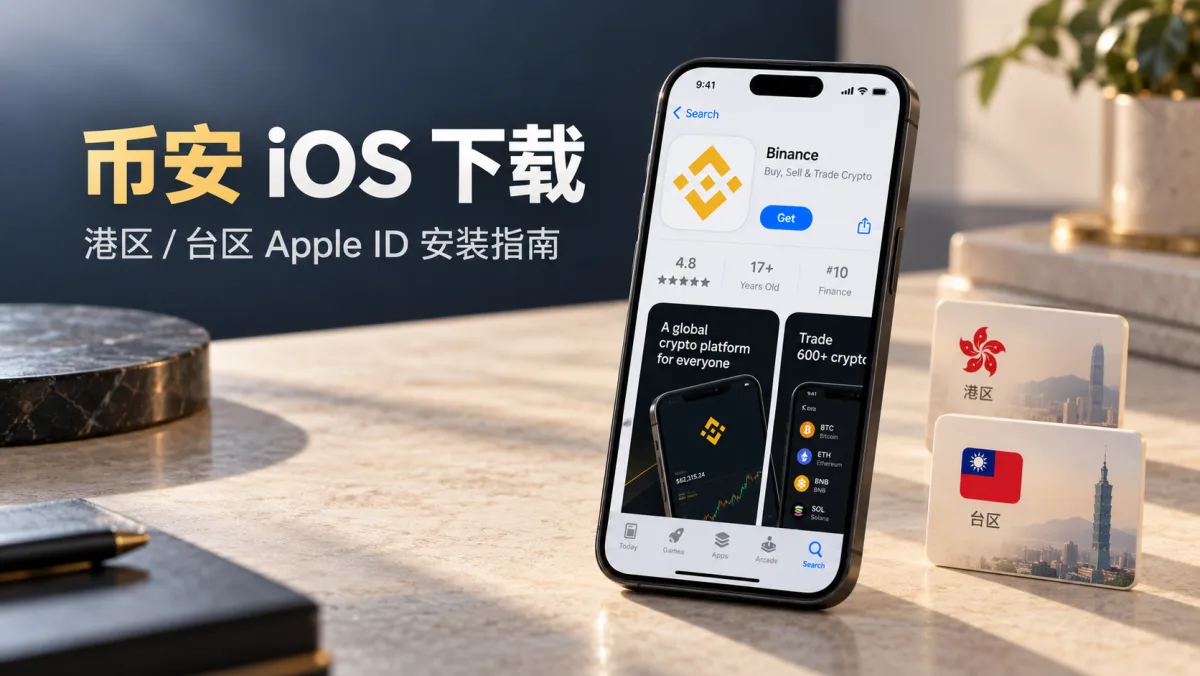
Table of contents

Binance new-user benefit
20% fee rebate
Official Binance sign-up · You must complete identity verification (KYC) to trade and withdraw
How do you download Binance on iPhone? If Binance does not appear in your App Store search, the problem is usually not your iPhone or your network — it is the region of your Apple ID.
Verified on 25 October 2026, the Binance global app is available on both the Hong Kong and Taiwan App Store. If you already have a valid Hong Kong or Taiwan Apple ID, you can switch the "Media & Purchases" account in Settings, then open the App Store and search for Binance.
You do not need to sign out of iCloud for the whole phone, and you do not need to install an IPA file from an unknown source.
One thing is especially easy to get wrong: the Binance global app and Binance.US are not the same app. If you search using a US Apple ID, check the app name and App Store ID carefully.
This article walks through, in order: which Apple ID to use, where to switch the account on iOS 26, how to download the authentic app, and how to fix a failed install.
Binance iOS download: the 3 quick steps
If you already have a Hong Kong or Taiwan Apple ID, follow this flow first.
Step 1: prepare an Apple ID
Confirm you have a Hong Kong or Taiwan Apple ID that signs in normally and meets Apple's account requirements.
Step 2: switch the App Store account
On your iPhone open:
Settings → your Apple Account (your name) → Media & Purchases → Sign Out
Then open Media & Purchases again and sign in with the Hong Kong or Taiwan Apple ID.
This only switches the App Store purchase account; you do not need to sign out of iCloud.
Step 3: download and install Binance
Open the App Store, search "Binance", open the product page and check:
- Developer: Binance Switzerland AG
- App Store ID: 1436799971
- Download channel: the official Apple App Store
If it all matches, tap Get and finish the install when Apple prompts you.
If you have not registered an Apple ID yet, or the App Store says "This app is not available in your country or region", keep reading for the detailed steps and troubleshooting.
Note: changing the region of an Apple ID only changes what the store shows. It does not change your actual place of residence, and it does not give you access to Binance services in another region. Follow the rules of your location and the platform.
Why Binance is not in your App Store
A common situation: you open the App Store, search "Binance" and no official app comes up.
Some people keep switching networks, changing DNS or wondering if iOS is too old.
What you should actually check first is the country or region of your Apple ID.
Apple shows a different app catalogue for each region. An app listed in Hong Kong or Taiwan is not automatically listed in every other region.
Some regions simply do not offer the Binance global app for download.
Use this to judge your situation:
| Current situation | What to check |
|---|---|
| Apple ID in a region without Binance | Check regional limits and the official available regions |
| You already have a Hong Kong Apple ID | Look for the Binance global app |
| You already have a Taiwan Apple ID | Look for the Binance global app |
| You have a US Apple ID | Watch out for Binance.US |
| You only want to check prices | Use a legitimately accessible price site |
If you already have a valid Hong Kong or Taiwan Apple ID, you normally do not need to change the whole phone's region, and you do not need to sign out of iCloud.
Switch only the App Store purchase account.
But note: being able to open an App Store page does not guarantee you can download the app, and a successful install does not mean you qualify for Binance account or trading services.
Which region to use: Hong Kong, Taiwan or the US
This is the most important thing to sort out before downloading.
Hong Kong and Taiwan: the Binance global app is there
As of the date this article was verified, the Binance global app can be found on both of these official Apple pages.
Hong Kong App Store
https://apps.apple.com/hk/app/id1436799971
Taiwan App Store
https://apps.apple.com/tw/app/id1436799971
Both pages use the same App Store ID:
1436799971
If you already have a working Hong Kong or Taiwan Apple ID, try the matching App Store first.
You do not need both a Hong Kong and a Taiwan account. As long as your existing account meets Apple's requirements and can get the official app, there is no need to register more Apple IDs just to download Binance.
Note that app availability can change. When downloading, follow what the App Store page actually shows.
US region: do not mistake Binance.US for the global app
Search "Binance" on the US App Store and you may see Binance.US.
It is not a fake Binance — it is a separate platform for the US market.
But Binance.US and the Binance global app are not interchangeable.
| Item | Binance global | Binance.US |
|---|---|---|
| App name | Binance | Binance.US |
| App Store ID | 1436799971 | 1492670702 |
| Main focus | Global platform, region-restricted | US-market platform |
| Account system | Binance global | Binance.US, separate |
The two apps, their account systems and their service rules are different.
So do not judge by the word "Binance" or the yellow icon alone.
If you want the Binance global app, the key thing to check is App Store ID 1436799971.
This article uses the global app on the Hong Kong and Taiwan App Store as the example, and does not default to a US Apple ID.
Official download entry and how to spot the real app
To download Binance on iPhone, use the official channel from the Binance site first, then go to the App Store.
Official entry points
| Official entry | Address |
|---|---|
| Binance download centre | binance.com/en/download |
| iPhone download guide | binance.com/en/download-guide |
| Hong Kong App Store | apps.apple.com/hk/app/id1436799971 |
| Taiwan App Store | apps.apple.com/tw/app/id1436799971 |
Binance's iPhone download guide explains how to register an Apple ID and download from the App Store, and can be used as a reference.[1]
Do not get a "Binance iOS installer" from search ads, cloud drives, chat groups or links sent by strangers.
How to confirm it is the authentic Binance
A fake app can copy the name, icon and screenshots, so do not judge by appearance alone.
Check these points:
| Item | Binance global |
|---|---|
| App name | Binance |
| Developer | Binance Switzerland AG |
| App Store ID | 1436799971 |
The App Store ID is a key way to tell the global app from Binance.US.
At the time this article was verified, the developer of the Binance global app was shown as Binance Switzerland AG. If the developer changes in the future, re-check from the Binance site to the official Apple page instead of relying on the old name.[2]
Step 1: register a Hong Kong or Taiwan Apple ID
If you already have a suitable Hong Kong or Taiwan Apple ID, skip to step 2.
If not, understand how an Apple account is created first.
Apple has renamed Apple ID to Apple Account, but this article keeps using the widely known term "Apple ID" for readability.
1. Open the official Apple account page
In Safari on your iPhone, go to:
Choose "Create your Apple Account".
Only create the account on Apple's official page. Do not enter personal details or passwords on a third-party registration platform.
2. Choose a country or region
When creating the account, Apple asks you to choose a country or region.
If you meet the account requirements for that region, you can choose Hong Kong or Taiwan.
This choice affects which apps the App Store shows later.
Note:
- Fill in accurate, real information as Apple asks.
- Use an email and phone number you can keep receiving verification messages on.
- Apple may ask you to add a billing address or payment method.
- Verification requirements can differ by region and account.
Do not register with a fake address, someone else's payment details or a purchased shared account.
3. Fill in email, password and phone number
Follow the page and fill in:
- an email you use;
- an account password;
- a phone number that can receive verification codes;
- any other details Apple requires.
Then complete the email and phone verification.
If you see "cannot create account" or a verification failure, follow Apple's prompts instead of repeatedly using third-party registration tools.
4. Finish the Apple ID setup
After registering, first confirm:
- the email and phone number can be verified;
- the Apple ID can sign in;
- the country or region is what you expected;
- you have completed Apple's required account setup.
Some new accounts still need a payment method, billing info or to accept the terms of service the first time they use the App Store.
Do not assume every Hong Kong or Taiwan Apple ID can skip payment verification.
Important: whether a new Apple ID succeeds and whether it needs a payment method depends on Apple's actual requirements. Do not treat "register without verification" as a guarantee.
Step 2: switch the App Store account on iOS 26 to download Binance
This section follows the iOS 26 settings screen.
The most important thing is to tell two operations apart:
- signing out of the Media & Purchases account;
- signing out of the whole iPhone's Apple Account.
You want the first one — do not sign out of iCloud by mistake.
1. Sign out of the current App Store purchase account
On your iPhone, follow this order:
① Open Settings
Find the gear icon on the home screen and open Settings.
② Tap your Apple Account at the top
That is the area showing your name and profile picture.
③ Find Media & Purchases
Scroll down in the Apple Account settings page and find "Media & Purchases".
④ Tap Sign Out
Choose "Sign Out" from the menu.
This signs out the media and purchase account the App Store is using.
This step will not delete your photos, contacts or iCloud backup.
But do not tap the whole-device "Sign Out" at the bottom of the Apple Account page — that is a different action.
2. Sign in with a Hong Kong or Taiwan Apple ID
After signing out of the old purchase account:
- Stay on the Settings → Apple Account page.
- Tap Media & Purchases again.
- Choose to sign in with a different Apple account.
- Enter the Hong Kong or Taiwan Apple ID.
- Enter the password and complete the security verification when prompted.
After signing in, the App Store will use the store region of that account.
If Apple asks you to finish first-purchase setup, accept the terms or add a payment method, follow the on-screen prompts.
3. Open the App Store and search for Binance
After the switch:
- Go back to the home screen.
- Open the App Store.
- Tap Search at the bottom.
- Type "Binance".
On a Traditional Chinese store you can also try "幣安".
When you find the app, do not tap Get right away.
Open the product page and check:
- it is the Binance global app;
- the developer matches the official information;
- the App Store ID is
1436799971.
If you see Binance.US, first confirm whether you opened the wrong app page.
4. Tap Get to download and install
Once you confirm it is the authentic Binance, tap Get.
Apple may ask you to use:
- Face ID;
- your Apple ID password;
- another verification method.
Complete the verification and wait for the download.
When it finishes, the Binance app icon appears on the home screen.
That completes the iOS download and install.
Note: this section follows the iOS 26 menu and Apple's account mechanism. System language, account status and iOS minor versions can make the menu wording differ slightly between devices.[4]
Can I just change my region instead of registering a new account?
You can apply to change the country or region of an existing Apple ID through the feature Apple provides.
But if your main Apple ID has many subscriptions, purchases and Family Sharing links, changing region may involve more steps.
Apple's official change path
Open:
Settings → your name → Media & Purchases → View Account → Country/Region
Choose a country or region, then follow Apple's prompts.
Why changing region can fail
Apple sets requirements for changing country or region.
Before changing, you may need to:
- use up your Apple Account balance;
- deal with still-active subscriptions;
- complete unsettled purchases, pre-orders or refunds;
- handle Family Sharing restrictions;
- provide a payment method and billing details the new region supports.
These requirements come from Apple's account rules, not from Binance.[3]
Register a new account or change the old one?
| Option | When it fits |
|---|---|
| Use an existing Hong Kong/Taiwan account | The account works and can sign in |
| Register another Apple ID | You want to keep purchases for different regions separate |
| Change the old Apple ID's region | You plan to stay in the new region and can sort out existing subscriptions |
If your main Apple ID holds iCloud, photos, paid subscriptions and many purchased apps, understand the impact before changing region.
Whichever option you choose, follow Apple's account terms.
Binance iOS download failed: 6 cases to check
The most common reason an iPhone download fails is not a broken installer, but a store region, account verification or app-identity problem.
Work through these six cases.
Case 1: Binance does not appear in the App Store
Likely cause: you are still using an Apple ID whose region does not offer the app.
Fixes:
- Check which account is signed in to Media & Purchases.
- Confirm the account's country or region.
- Open the official entry from the Binance site.
- Check whether the target region's App Store still offers the app.
Do not treat changing VPN or DNS as the first fix.
The App Store catalogue is tied to the region of your Apple Account; changing your network does not change the account's region by itself.
Case 2: the search result is Binance.US
First check the App Store ID.
1436799971: Binance global;1492670702: Binance.US.
If you want the global app, do not tap the US version by mistake.
In particular, do not keep trying to log in to the Binance.US app with a Binance global account.
Case 3: you can find Binance but cannot tap Get
Possible problems:
- the Apple ID is not fully set up;
- the payment method or billing info needs verification;
- the App Store account is restricted;
- iOS is below the app's requirement;
- the current store region does not support the download.
Read the specific prompt Apple shows, then fix that.
If it says the payment details are wrong, check them in Apple's official account settings.
If it says the account needs verification, verify first.
If it says the region is unavailable, check the store region and app availability.
Case 4: "This app is not available in your country or region"
This usually means your account's store region does not match the app's availability, or the app's status changed in that region.
Fixes:
- Check the current App Store account region.
- Re-enter the official entry from the Binance site.
- Confirm whether the target region still lists the app.
- Check whether the account has normal download rights.
Being able to open a region's App Store page does not mean your current Apple ID can get the app.
Case 5: the new Apple ID cannot sign in
First check:
- the email and password are correct;
- you completed two-factor authentication;
- the account asks for more details;
- you triggered an Apple security limit;
- there is an account-lock prompt.
If the Apple ID is locked, recover it through Apple's official channel.
Do not hand your password or verification code to a so-called "unlock" service.
Case 6: Binance is installed but updates ask for a different Apple ID
This can happen when you use several Apple IDs for downloads.
Apple ties the app download record to the account that got the app, so you cannot always update every app with another Apple ID.
If an update asks for the original account:
- Confirm which Apple ID downloaded it first.
- Check whether the original account can still sign in.
- Use that account to update, as Apple prompts.
- If the original account is gone, ask Apple Support first.
Do not install an IPA or enterprise-signed version from an unknown source just to update Binance.
After install: updating and switching back to your original Apple ID
After Binance is installed, you do not need to stay signed in to the Hong Kong or Taiwan purchase account.
But keep access to the account that downloaded it.
Can I switch back to my original account after downloading?
Usually yes.
Use the same path as before:
Settings → Apple Account → Media & Purchases
Sign out of the current purchase account and sign back in with your original Apple ID.
An installed Binance app does not normally disappear just because you switched the purchase account.
But future updates and re-downloads may still need the original download account.
Does switching the App Store account affect iCloud?
Normally, switching only the Media & Purchases account does not sign you out of the device's iCloud account.
Photos, contacts and backups are not deleted just because you signed out of the purchase account.
But do not tap the whole-device sign-out at the bottom of the Apple Account page by mistake.
How to update Binance later
If the App Store offers the update normally, follow the system prompt.
If Apple asks you to sign in with the Apple ID that downloaded it, use that account to update.
Do not promise "you will never have to switch regions to update", because updates can be affected by Apple account, purchase records and region availability.
Why not buy a shared Apple ID
Some people sell so-called "permanent Hong Kong ID" or "Binance Apple ID" accounts online.
A shared account has several problems:
- the password can be changed at any time;
- it may trigger Apple security limits;
- there is no guarantee it keeps working;
- the download record and account control are not yours;
- handing over or sharing account details also brings privacy risk.
For users who need to keep updating the app, a secure, recoverable account matters more than saving a few minutes of registration.
TestFlight, IPA and enterprise-signed risks
Besides a failed download, watch out for fake apps — especially install methods that promise "no region switch" or "works forever".
Is "install Binance without switching region" reliable?
Be cautious when you see claims like:
- install in one tap without switching region;
- a permanent enterprise-signed Binance iOS version;
- the latest Binance IPA installer;
- install a configuration profile and it works;
- scan a QR code in a chat app to install Binance.
None of these prove the app comes from Binance.
An app of unknown origin may be modified, and can leak your credentials, redirect you to malicious links and bring other security risks.
An enterprise signature is not the same as malware by itself, but a non-official Binance installer distributed to the public is not a trustworthy channel.
For ordinary users, use the official App Store page reached through the Binance site.
Can TestFlight install Binance long term?
Do not treat TestFlight as a long-term replacement.
TestFlight is Apple's test-distribution tool.
It has limits:
- it usually requires a developer invitation;
- the number of test slots may be limited;
- beta builds expire;
- there may be unfixed issues.
Apple says TestFlight beta builds are usually valid for up to 90 days.[5]
Binance's public download guide mainly describes getting the official App Store version, and does not treat TestFlight invitations shared by strangers as a normal download channel.
What if you already installed a Binance app of unknown origin?
If you suspect a fake Binance, stop using the app first.
Do not keep entering your password, SMS code, Google Authenticator code or wallet seed phrase.
If you already entered Binance account credentials, open the official Binance site on a trusted device and:
- change your account password;
- check login devices and recent activity;
- review your two-factor authentication settings;
- check the withdrawal address whitelist;
- contact official support if needed.
If you entered a self-custody wallet's seed phrase or private key into a suspicious app, treat it as a possible leak and protect the assets in a safe environment.
Uninstalling the fake app does not make a leaked seed phrase safe again.
FAQ
1. Where do I download Binance on iOS?
On iPhone, go to the official download page from binance.com, then open the Apple App Store.
Both the Hong Kong and Taiwan App Store have an official page for the Binance global app, with App Store ID 1436799971.
Follow what the page actually shows and whether your account can download it.
2. Why is Binance not in my App Store?
Because the Binance global app is not offered for download in every region.
The App Store catalogue is tied to the region of your Apple ID; switching your network alone does not change the account's region.
3. Should I use a Hong Kong or a Taiwan Apple ID?
As of 25 October 2026, both the Hong Kong and Taiwan App Store list the Binance global app.
If you already have a valid account, use it first — you do not need two Apple IDs from different regions just to download.
4. Does a US Apple ID download Binance.US?
Binance.US is on the US App Store, but do not assume a US search shows only that one app.
Check the App Store ID.
The Binance global app is 1436799971; Binance.US is 1492670702.
They are not the same app and have different audiences and account systems.
5. Where do I sign out of the App Store account on iOS 26?
Open:
Settings → Apple Account → Media & Purchases → Sign Out
This signs out the media and purchase account, not the whole iCloud account.
After signing out, you can sign in with another Apple ID in the same place.
6. Do I have to register an overseas Apple ID to download Binance on iPhone?
Not necessarily.
If you already have a valid Apple ID whose region offers the Binance global app, use it first.
You can also apply to change an existing account's region, but changing region may involve balance, subscription and payment-method limits.
7. Can I switch back to my original Apple ID after downloading?
Usually you can switch back to your original media and purchase account, and the installed app does not disappear by itself.
But future updates or re-downloads may still need the Apple ID that originally got the app.
8. How do I confirm the download is the authentic Binance?
Enter the App Store through the Binance site and check the app info.
At the time this article was verified, the developer of the Binance global app was Binance Switzerland AG and the App Store ID was 1436799971.
If the developer or app ID differs from the official info, pause the install and re-check.
9. Does installing Binance mean I can register and trade?
Not necessarily.
A successful install does not guarantee Binance account or trading eligibility.
The platform may restrict functions based on your actual residence, identity verification, local rules and terms of service.
An Apple ID's region is not the same as your actual place of residence.
Next steps
- How to download Binance: iPhone, Android and PC tutorial (2026) —— to see the official channels for all three device types
- Install Binance on Android 2026: official APK in 3 steps and fixing install blocks —— for Android users with the APK and install-block troubleshooting
- How to register on Binance in 2026: account setup and KYC step by step —— open your account and verify after installing
- Not receiving the verification code: SMS, email and Google Authenticator (2026) —— if you get stuck after installing, it is usually the code not arriving
- How to use the Binance referral code and what to check —— do not forget code AMY568 when registering
Data verification note
The key facts in this article were verified on 25 October 2026 against official Binance and Apple public sources.
1. Binance official download entry and iPhone install steps
Official sources:
What was checked: the official Binance download entry, and the process for iPhone users to register an Apple ID, sign in to the App Store, search for the app and install it.
2. Binance global vs Binance.US identity
Official sources:
- https://apps.apple.com/hk/app/id1436799971
- https://apps.apple.com/tw/app/id1436799971
- https://apps.apple.com/us/app/id1492670702
What was checked: the Binance global app has App Store ID 1436799971 and, at verification time, the developer Binance Switzerland AG; Binance.US is a separate app with App Store ID 1492670702 and is not the same as the global app. Availability on the Hong Kong and Taiwan stores can change, so follow the official Apple page at download time.
3. Apple ID country or region change rules
Apple official source: https://support.apple.com/en-us/118283
What was checked: how to change an Apple Account's country or region, and the balance, subscription, purchase, Family Sharing and payment-method requirements you may need to handle first.
4. Apple Account and App Store sign-in rules
Apple official source: https://support.apple.com/en-us/111001
What was checked: signing in with your Apple Account in the App Store and media services, and limits on purchases and updates.
5. TestFlight distribution mechanism
Apple official material: https://developer.apple.com/testflight/
What was checked: TestFlight is Apple's way to distribute test builds; beta builds expire and are not the same as the official App Store app.
Verification boundary
This is a verification of public information. It does not mean the editorial team has completed a hands-on download test for every iPhone model, iOS version and Apple ID region combination.
The Apple ID registration screens, app availability, developer entity and platform rules can change, so follow the current Apple and Binance pages at the time of use.
Disclaimer
This article only explains the official channel for the Binance iOS app, Apple ID account setup and install safety. It is not investment, financial or trading advice, and it does not guarantee any user qualifies for platform services.
Crypto trading carries price, platform, account-security, network-security and legal-compliance risk.
Being able to download the app does not mean you can lawfully use every trading service.
Follow the laws of your location and the platform terms. Do not use a false identity or false details to get around region limits, and do not install a third-party Binance app of unknown origin.
Exchange operations · USDT · Wallet security
Responsible for researching and organizing content on Binance, OKX, USDT transfers, withdrawals and wallet security. The steps and key data in this article are verified according to the content type, using real operation records, official platform documentation and public sources. Interfaces, fees and regional rules may change, so the article is reviewed and updated continuously.
Status: manual review · Last verified 2026-10-25
Reviewed by: Veldux editorial team
- Binance official download pageOfficial entry point for the Binance app and the official download channels per device
- Binance official "Download Binance App on iPhone" guideSteps to register an Apple ID, sign in to the App Store, search for Binance, download and finish account setup
- Binance global app on the Hong Kong / Taiwan App StoreListing of the Binance global app, App Store ID 1436799971, and the developer shown on the page
- Binance.US on the US App StoreBinance.US as a separate app, App Store ID 1492670702, and how it differs from the global app
- Apple Support: change your Apple Account country or regionHow to change the country or region of an Apple Account, plus requirements around balance, subscriptions and payment methods
- Apple Support: Apple Account sign-in and purchasesSigning in with your Apple Account in the App Store and media services, and limits on purchases and updates
- Apple Developer: TestFlightTestFlight is Apple's test-distribution tool; beta builds expire and are not the same as the official App Store app
- 2026-10-25UpdateFirst publication. Compiled from official Binance and Apple sources: iOS download method, Hong Kong/Taiwan App Store entry, the difference between Binance global and Binance.US, the iOS 26 Media & Purchases switch, and troubleshooting for install failures and fake apps.
Editorial principles ineditorial policy,corrections policy。